Classroom
Teach and train in one place
Classroom hosts the live session, keeps the materials, and records who attended.
Product site: www.classroom.enaviya.ai
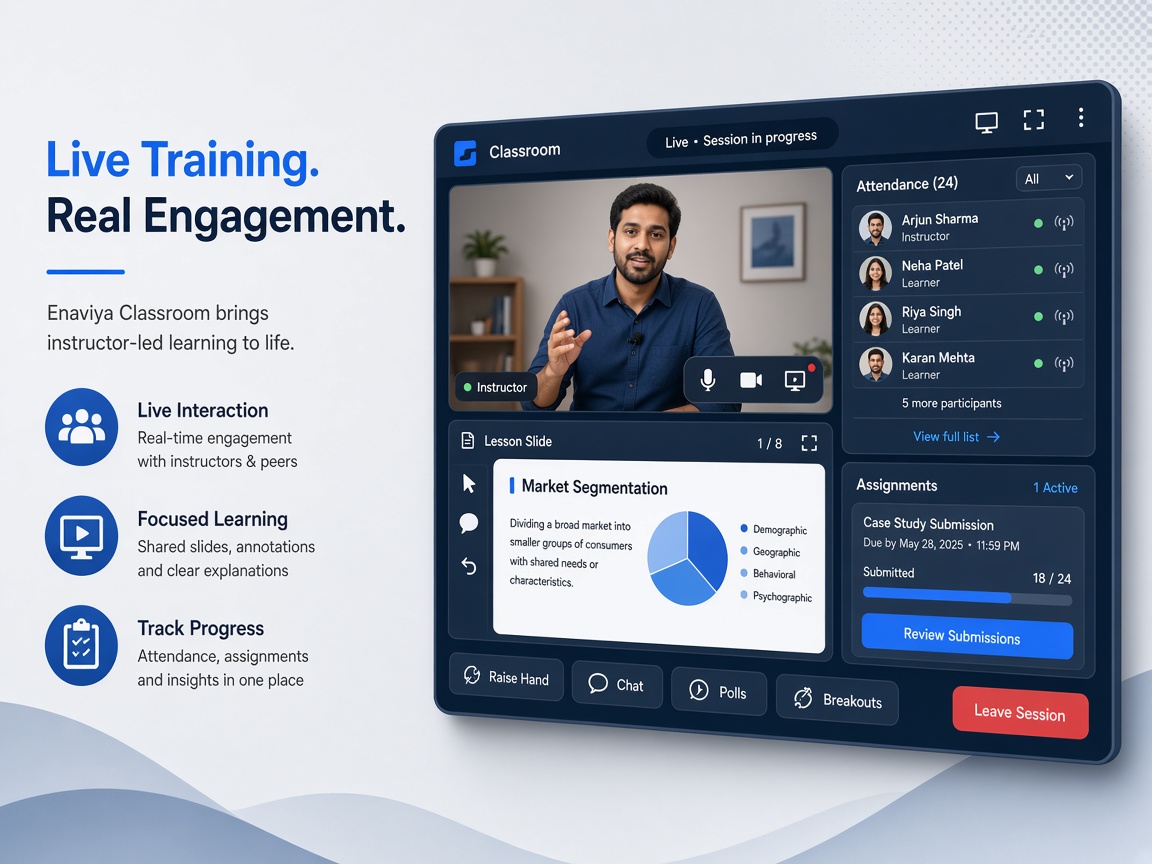
Classroom hosts the live session, keeps the materials, and records who attended.
Product site: www.classroom.enaviya.ai
A class is a live meeting plus the work that happens around it
Start the class on enaviyameet with video, screen sharing, and chat.
Post materials and assignments so learners know what to finish.
See who joined and how far each learner has progressed.
Keep slides, notes, and links with the class so learners can find them after the session.
Teach from the enaviyameet session with screen sharing and chat in the same class.
Track attendance and finished assignments for each learner in the class.
From a class list to the live session and the work after it
Name the class and add the people who should attend.
The live class runs on enaviyameet with video and screen sharing.
Post materials and assignments for the learners in that class.
Check attendance and which assignments are finished.
The same class tools for a course or a training group
Run a live lesson, leave the materials with the class, and see who attended.
Train staff in a live enaviyameet session and keep assignments with that group.
Explore enaviyameetStart at www.classroom.enaviya.ai, or tell us whether you are training staff or teaching a course.